← All watch facesNew
Offset
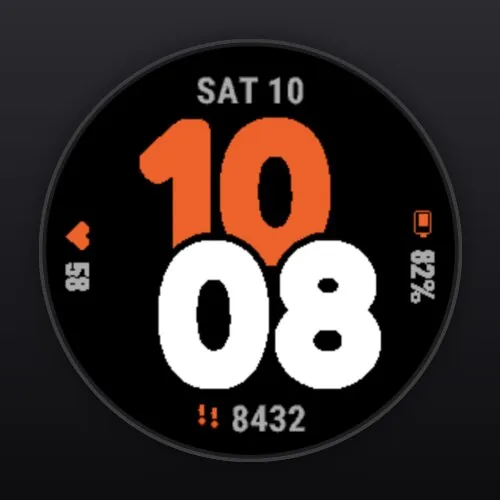
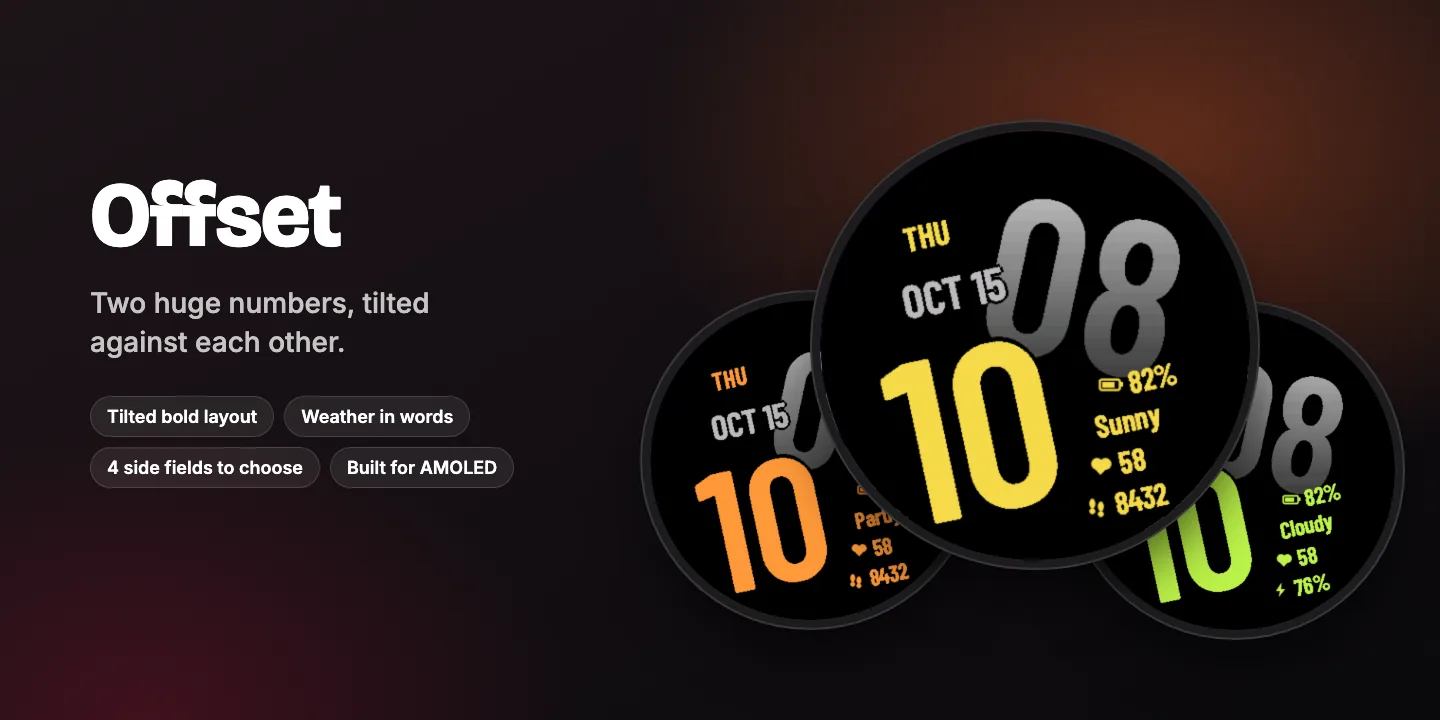
Two huge numbers, tilted against each other.
A huge accent hour leaning one way, big grey minutes leaning the other and sliding in behind it, with the weekday and date on top and battery, the weather in words, heart rate and steps alongside – the whole layout set at a tilt.
- Tilted bold layout
- Weather in words
- 4 side fields to choose
- 6 accent colours
$1.99one-time purchase
Coming soon to Connect IQEverything in Offset
Time
- Huge accent hour leaning left, grey minutes leaning right and sliding in behind it
- Minutes fade from light to dark grey and run off the rim
- 12 or 24 hours following your watch
Four side fields, each one configurable
- Watch battery, weather in words (sunny, cloudy, rain…), heart rate and steps by default
- Choices: watch battery, weather in words, heart rate, steps, calories, Body Battery, stress, floors, intensity minutes, distance, temperature, altitude, next sunrise / sunset, empty
Also on the dial
- Weekday in the accent colour, month and day in grey
Style
- 6 accent colours: yellow, orange, lime, cyan, red, white
Built for AMOLED
- epix 2 / Pro, fēnix 8 AMOLED, fēnix E, Forerunner 165/265/965/970, Venu 3, vívoactive 5/6, MARQ 2, Instinct 3 AMOLED
- Dim always-on mode that shifts slightly every minute to prevent burn-in
- Not available for MIP watches (fēnix 7, Forerunner 255/955, Enduro 3)
Private and light
- No data collection, no tracking, no account
- One-time purchase in the Connect IQ Store, no subscription
- Settings in the Connect IQ Store app on your phone
Change the settings in the Connect IQ Store app: My Device → Watch Faces → Offset → Settings.